
While price is an important factor when purchasing a desktop 3D printer, an even more important factor is quality. So, a number of consumer could potentially afford one of the top 10 3D printers below $1,000 recently rated by 3DPI, many of our readers noted that such low prices may warrant low quality, as well. Consider this, then, a list of printers that get the most bang out of your buck, the top 10 3D printers below $2,500.
10. Witbox – $1,845

Though they had been producing smartphones, tablets, and other Maker supplies, the Witbox from Spanish manufacturer bq is the company’s first foray into 3D printing. Rated as reliable, the Witbox has a substantial 210 x 297 x 200 mm build volume, an LCD screen with SD card reader, and a three-point leveling system with vibration damping, ensuring stable print jobs. As the company gets further into the space, I’m positive that they’ll develop even more unique machines. Not only have they recently released the Ciclop 3D printable 3D scanner kit, available for sale through LulzBot, but they also have inventor of OctoPrint’s Gina Häußge on board to evolve the open source, remote 3D printing project even further.
Specs:
- Print Area:210 x 297 x 200 mm
- Layer Thickness: 0.05 mm
- Features: LCD screen with SD card reader, three-point leveling system, vibration damping,
- Materials: PLA, ABS
9. The MakerGear M2 – $1,775
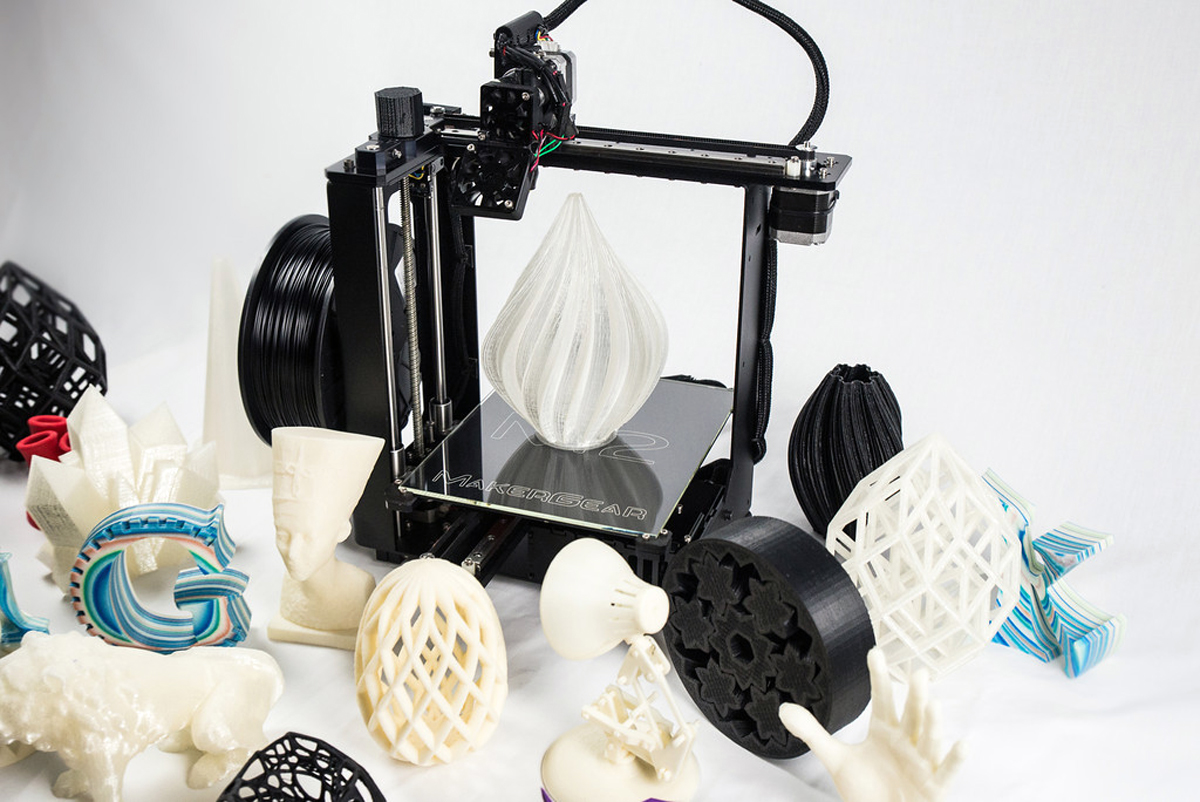
Specs:
- Print Area: 203 x 254 x 203 mm
- Layer Thickness: 0.01 mm
- Features: Heated bed
- Materials: PLA, ABS
8. Zotrax M200 – $1,990
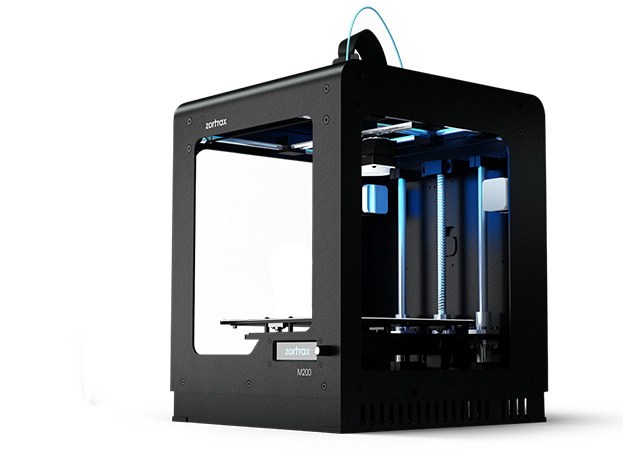
The M200 3D printer was originally a surprise hit from Polish manufacturer Zortrax. After Dell ordered 500 printers from them, the printer began to light up 3D Hubs, as more happy customers began printing on the distributed 3D printing network. It was eventually awarded the top choice for reliability on the site and 3DPI’s Pawel . The M200 has a relatively substantial build volume of 200 x 200 x 180 mm, all-metal hot end, and a heated bed, allowing it to print a wide variety of materials. SD card reader and auto-calibration make for a user-friendly experience. And, soon, the manufacturer plans to release an pro printer called the Inventure, which should improve upon this desktop machine.
Specs:
- Print Area: 200 x 200 x 180 mm
- Layer Thickness: 0.09 mm
- Features: SD Card Reader, heated bed, all-metal hotend, auto-callibration
- Materials: Most materials, but Zortrax recommends only their proprietary Z-ABS, ULTRAT, HIPS, and GLASS
7. The H-480 – $1,299
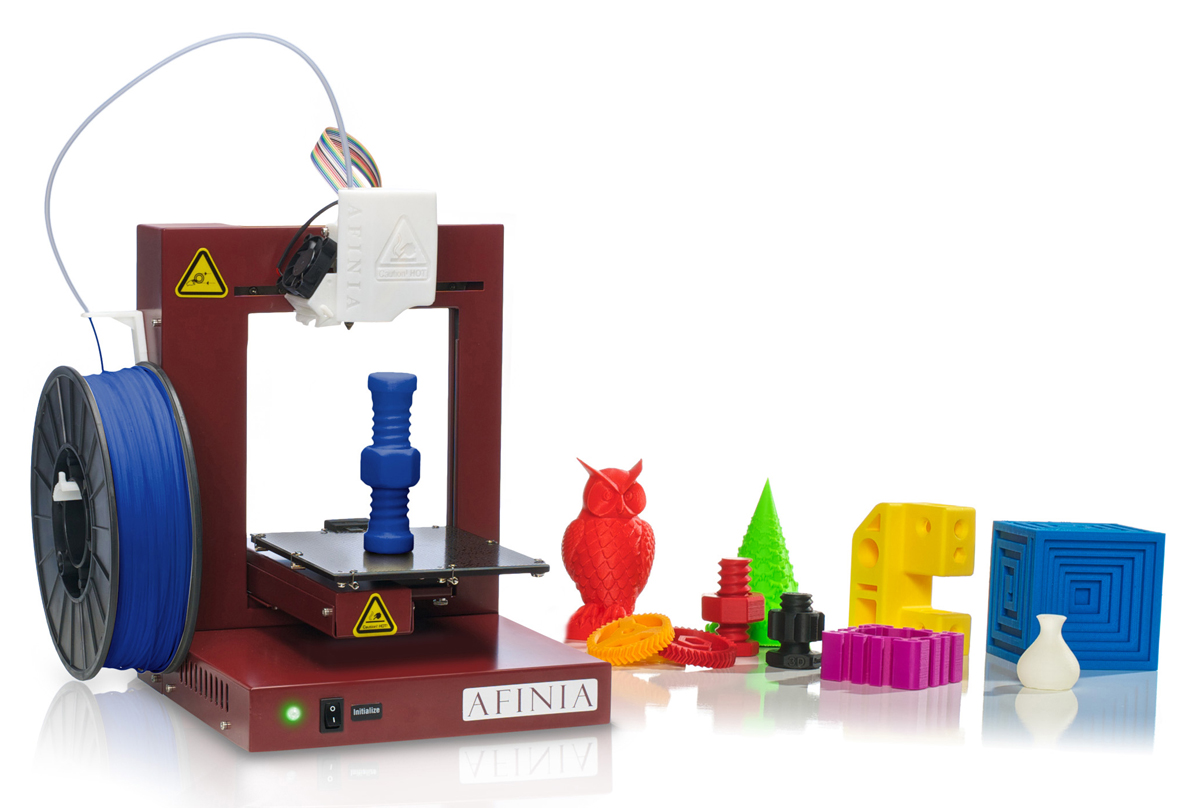
The Afinia H-480 is another product that has consistently gotten great reviews. While Afinia brings its Minnesotan charm to the customer service experience, the printer itself is extremely user friendly, consistent, and reliable. The printer is necessarily tethered to a computer, but recent upgrades do allow for auto bed leveling. There are some that may be turned off by the size of its printbed (heated); however, this only increases it portability and some customers have learned to assemble structures that are quite large with their printers. Plus, the H800 is now available for purchase, promising a larger print volume, untethered printing, and more.
Specs:
- Print Area: 140 x 140 x 135mm
- Layer Thickness: 0.15 mm
- Features: Heated bed, auto-calibration, nozzle detection
- Materials: PLA, ABS
6. Rostock MAX v2 – $999
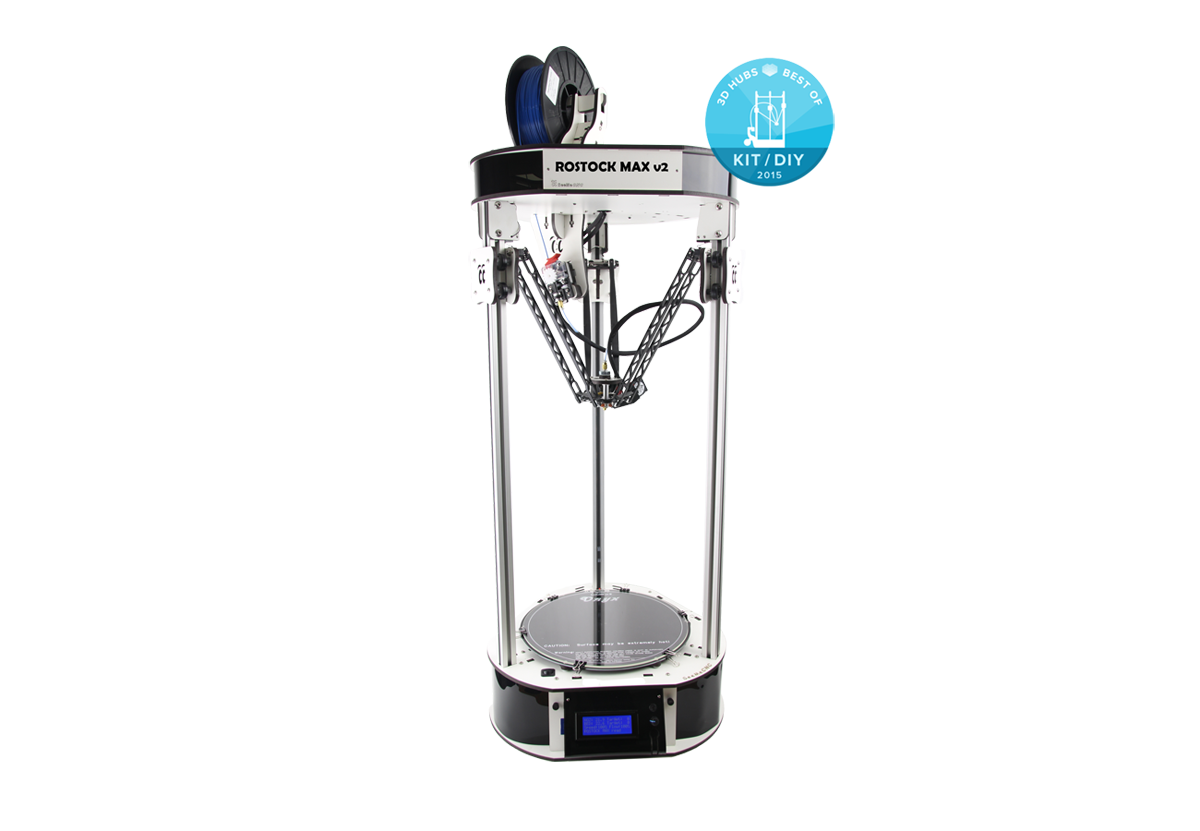
SeeMeCNC was among the first manufacturers of delta-style 3D printers, growing a die-hard community with its low-cost kits. Now, the Rostock MAX v2 is among the most reliable and quality delta 3D printers on the market. In fact, SeeMeCNC’s deltas are so impeccable that the company managed to scale them up to create the 3-meter-tall, 1.2-meter-round PartDaddy. And, as big as the PartDaddy is, the Rostock MAX v2 is no small fry, compared to other desktop machines. In addition to its SD card reader and heated bed, this deltabot has hefty build volume of 280mm round by 375mm tall. And, because it’s a deltabot, it can print incredibly quick and accurate. Though it only comes in kit form, there are some nice upgrades, like an all-metal hotend, MatterControl Touch for untethered 3D printing, and vibration dampeners.
- Print Area: 280 x 375mm
- Layer Thickness: 0.0125mm
- Features: Heated bed, auto-leveling probe, micro-SD card options.
- Materials: PLA, ABS
5. FlashForge Creator Pro – $1,199
Specs:
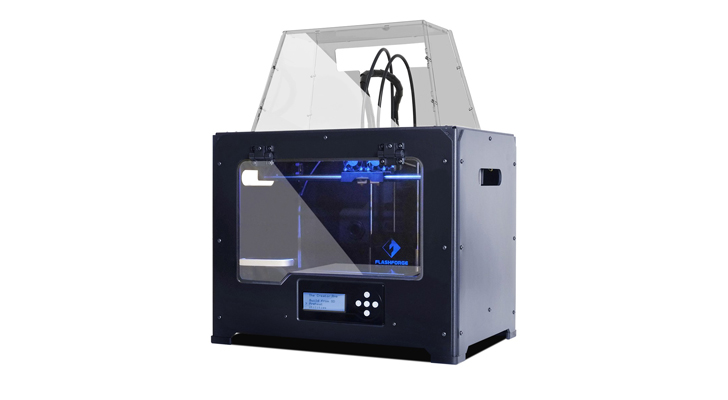
- Print Area: 227 x 148 x 150mm
- Layer Thickness: 0.1 mm
- Features: Dual extruder, heated bed, SD card reader with LCD screen, heated chamber
- Materials: PLA, ABS
4. Printrbot Plus – $1,199

Printrbot was already one of the most respected companies in the industry, hanging onto open source designs, despite growing in size and popularity. And, while it eventually abandoned its laser-cut plywood design in favor of sturdier steel and aluminum, its open source ethos it did not. The Printrbot Plus is a metal upgrade with a heated bed, auto-leveling probe, ubis hot-end, and dual extruder and micro-SD card reader optional. Due to the popularity and reliability of the affordable Printrbot Plus, this metal version should prove to be just as well-received, while signaling a rebirth for the California manufacturer, as it continues to explore innovative and new ways to think outside of the Cartesian box.
Specs:
- Print Area: 250mm x 250mm x 265mm
- Layer Thickness: 0.05 mm
- Features: Heated bed, auto-leveling probe, ubis hotend, dual extruder and micro-SD card options.
- Materials: PLA, ABS, flexible filament
3. Kossel Pro – $1,299

The Kossel Pro from OpenBeam is a redesign of the Mini Kossel, developed by Google engineer Johann Rocholl, one of the original designers of delta-style 3D printers, and was created in close collaboration with Rocholl. Open Beam is also among the first to incorporate an auto-leveling probe into their printer’s design so that, not only is the Kossel Pro fast and accurate, but it can be easily calibrated as well, in order to ensure stable and repeatable prints. Available in kit form, the Kossel Pro also has a nice build volume, 250mm around x 250mm tall, a heated bed, an all metal hotend, and, sold through MatterHackers, can also be upgraded for use with the MatterControl Touch.
- Print Area: 250 x 250 mm
- Layer Thickness: 0.0125mm
- Features: Heated bed, auto-leveling probe, all metal hotend
- Materials: Most materials under the sun.
2. Ultimaker 2 – $2,130
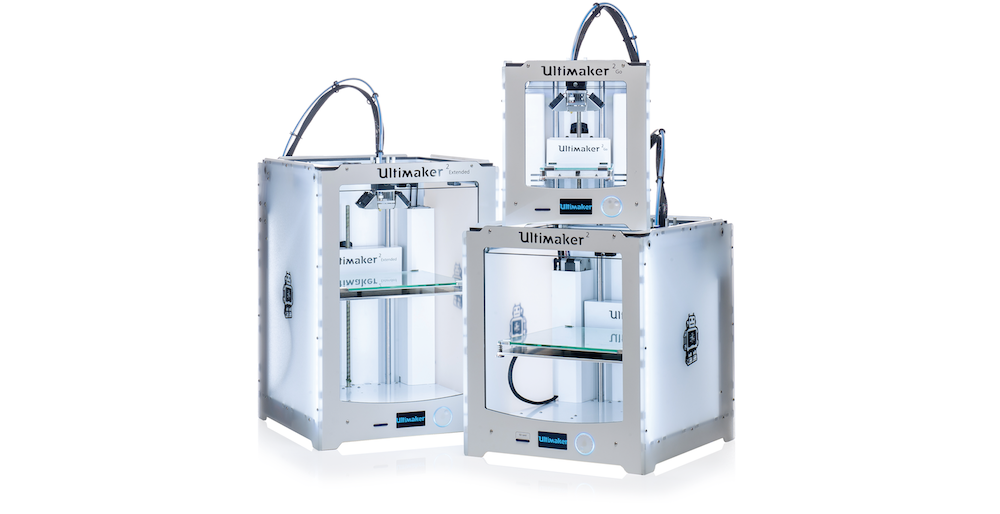
Ultimaker has now established itself as one of the most reputable brands in 3D printing. Though many are still waiting for the company to offer a second extruder, I’ve heard very few people have a negative experience with any Ultimaker 3D printer, including the Ultimaker 2 (€ 1,895). And, now that they’ve released the Ultimaker 2 Go (€ 1,195) and Extended (€ 2,495) versions, there’s a model for most budgets. All Ultimaker 2 3D printers feature 20 micron layer thicknesses, up to 260° extrusion temps, 300 mm/s print speeds, and LED screen with SD card reader for untethered printing. While the Ultimaker 2 and Extended both have heated beds for ABS and UPET, the Extended has a bit of extra head room. Check out Davide’s review of the Go, which I know he had a really fun time working with.
Specs:
- Print Area:
- Ultimaker 2 Go: 120 x 120 x 115mm
- Ultimaker 2: 223 x 223 x 205mm
- Ultimaker 2 Extended: 223 x 223 x 305mm
- Layer Thickness: 0.02mm
- Features: SD Card Reader, heated bed (Ultimaker 2 and Extended only)
- Materials: PLA, ABS, CPE
1. The LulzBot Mini & TAZ – $1,350, $2,200
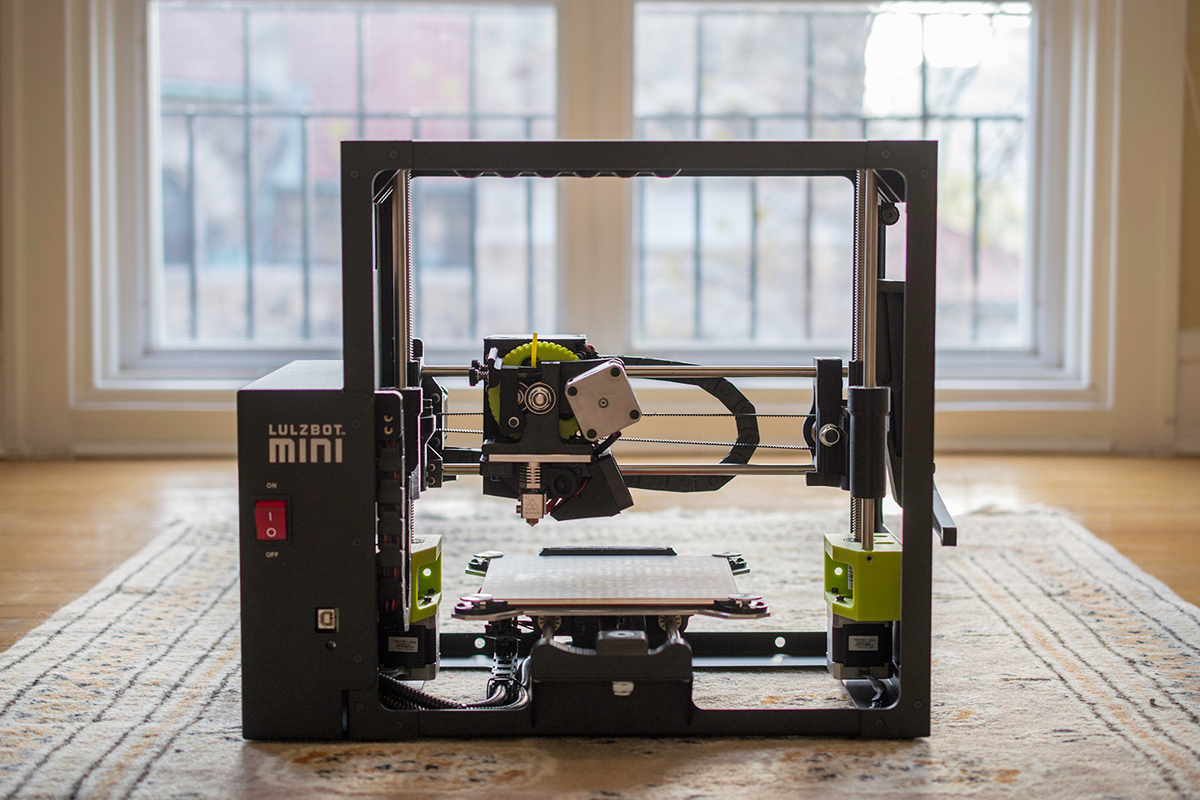
I just got finished reviewing the LulzBot Mini and it was such a great experience that it would be impossible not to include the Mini on this list. Capable of handling a wide variety of materials, while offering hassle-free printing, this is definitely one awesome printer. Knowing how great the Mini is, I can only imagine what the TAZ 5 brings to the table with its expanded build volume and untethered printing. So, if you’ve got a tighter budget, $1,350, the Mini is a great fit, but, if you can pay a bit more, the $2,200 TAZ will only be that much better. And, purchasing the dual extruder for the TAZ is a bonus! Either way, you’ll be able to use a huge range of filaments.
Specs:
- Print Area:
- Mini – 152 x 152 x 158mm
- TAZ 5 – 298 x 275 x 250mm
- Layer Thickness:
- 0.5mm nozzle – 0.05mm
- 0.35mm nozzle – 0.075mm (TAZ only)
- Features:
- Mini – heated bed, all-metal hotend, specialty PEI coating for easy print removal
- TAZ 5 – heated bed, all-metal hotend, auto-calibration, SD card reader, specialty PEI coating, dual extruder option
- Materials: almost any, except carbon fiber filaments
Honorable Mention – MakerBot Replicator 2

You’ll notice that the Replicator 2 is conspicuously missing from this list. While it can still be purchased from third party retailers, the Rep 2 is no longer sold by MakerBot on its site, as it transitions to its newer generation of 3D printers. As much trouble as the 5th gen has gotten into, there’s no questioning the impact that the Replicator 2 has had on the desktop 3D printer industry. Most Makers have been extremely happy with the Rep 2 and it launched MakerBot from a small startup to the large subsidiary it is today, simultaneously launching 3D printing technology into the spotlight. Will the brand every be as good as it once was? Davide speculates in his review of the 5th gen that the 6th gen, likely to be launched at CES next year, could at least improve upon this current generation. Whether or not it will live up to the Replicator 2 remains to be seen.