

Kyle Stevens, of Macy Moo Studios, has developed a 3D Printing Price Calculator plug-in for WordPress that will make it easy for anyone to figure out approximately how much it would cost, in terms of material price, to print a solid 3D object. And you only need two variables: the amount of filament required to print your design and the amount you paid for a 1kg spool of the material. Then, through the magic of mathematics behind Kyle’s simple user interface, you’ll see the estimated material cost to print your item.
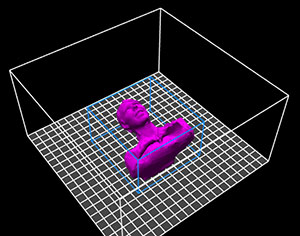 To test it out, I loaded a 3D model of my wife, Danielle, into my Repetier-Host software and sliced it to make for a hollowed-out print. The resulting G code output told me that I’d need about 6257 mm of filament to print the object. Then, I entered the price for the 1 kg of LayBrick I just ordered[1] into the ‘Filament Cost’ box and clicked calculate. According to Kyle’s plug-in, it would cost me about $0.99 of filament to print my little lady!
Kyle warns, however, that his calculator is specifically tailored to solid prints made from 1.75 mm ABS filament. In order to better calculate a 10% or 20% infill, I should multiply the final cost by .1 or .2. For materials like PLA and nylon, he says, the price should still be pretty close. But what if I’m using 3 mm LayBrick and no infill? Well, this is only the first version of the calculator and Kyle hopes to improve it with user responses, saying:
Right now this plugin is only available on my website but that’s only temporary as I hope to get a lot more feedback from others, work out any possible kinks in the design and add more features (like other materials). Once I’m satisfied with the final product, it’ll become available on the WordPress plugin directory so anyone with a WordPress blog could download it for free and use it on their website. I really want this to be available for anyone to use, so creating a user friendly design was key…I wouldn’t rule anything out yet as to future versions and implementing it into open source software.
To use the calculator yourself or to watch Kyle’s tutorial, click here. And, in the case that you understand math better than I do, maybe you can take a look at the formula Kyle used to see if you can give him some tips on how to quickly evolve his user-friendly price calculator:
For 1mm of filament that is 1.75mm in diameter we need the volume of a cylinder. Which is Pi * radius^2 * height. The radius is 1.75/2 = 0.875mm
V = 3.141 * .875 * .875 * 1
So, the volume of a 1mm length of the filament is 2.405. Given the volume of the object divide by 2.405 gets you the number of millimeters of filament you need to form the object.
Not to lose you in the rest of this calculation but I then next figured out the density of ABS and the volume of an entire 2.2 pound spool.
The final calculation is (cost = cost of a spool * object volume/volume of a 2.2 lbs spool).
Thanks, Kyle!
[1] I, actually, only ordered .25 kg, but I multiplied it by 4 for the sake of this calculation, which turned out to be about $152. High price to pay for fake concrete, I guess!