

3D printing architecture is a relatively new phenomena. As with all new technologies there are constraints as well as benefits, such as the speed of 3D printing technologies for large volume parts. Time is money, and now a more efficient method of architectural3D printing has been demonstrated by Bot Laboratory. Their m_Wall project boasts higher print speeds and an inexpensive feedstock. The interesting project and visually appealing outcome has given Bot Laboratory the confidence to say that ‘the future of the built environment is 3D printed.’
Bot Laboratory first showcased the fascinating m_Wall at the Bay Area Maker Fair 2014. The intriguing structure stands at 1.9 meters (over 6 feet 4 inches) tall and is constructedfrom just two pieces. The m_Wall is extremely strong, as you can see from the images, especially considering the print thickness, which measures in atonly a quarter of an inch.
The two three dimensional prints that make up the m_Wall were each printed in just five hours. This means that the wall segment was created in a time span that most current desktop 3D printers take to print a large vase! So, how did they do it?
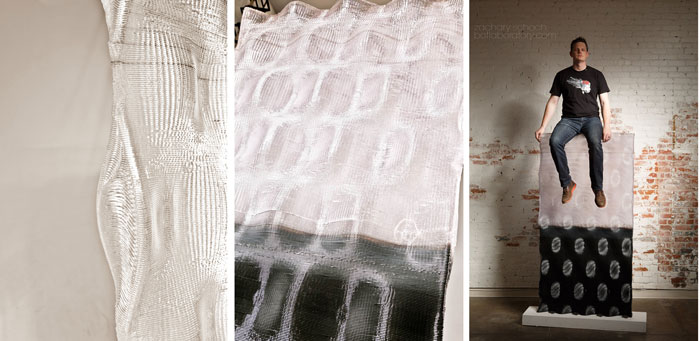 The team designed the architectural feature using Grasshopper 3D, a graphical algorithm editor tightly integrated with Rhino 3D modelling tools, including all of the motion code and extrusion data that was required to print it. The digital model used a custom Grasshopper 3D script developed by the companies founder Zachary Schoch to sidestep the necessity for slicing to further increase the print speed.
The Grasshopper methodology also empowered the designers toprint angled layers, curved layers and non-planar layers. In other words the machine’s print path was directly scripted in order to create the geometry – instead of the traditional geometry first process.